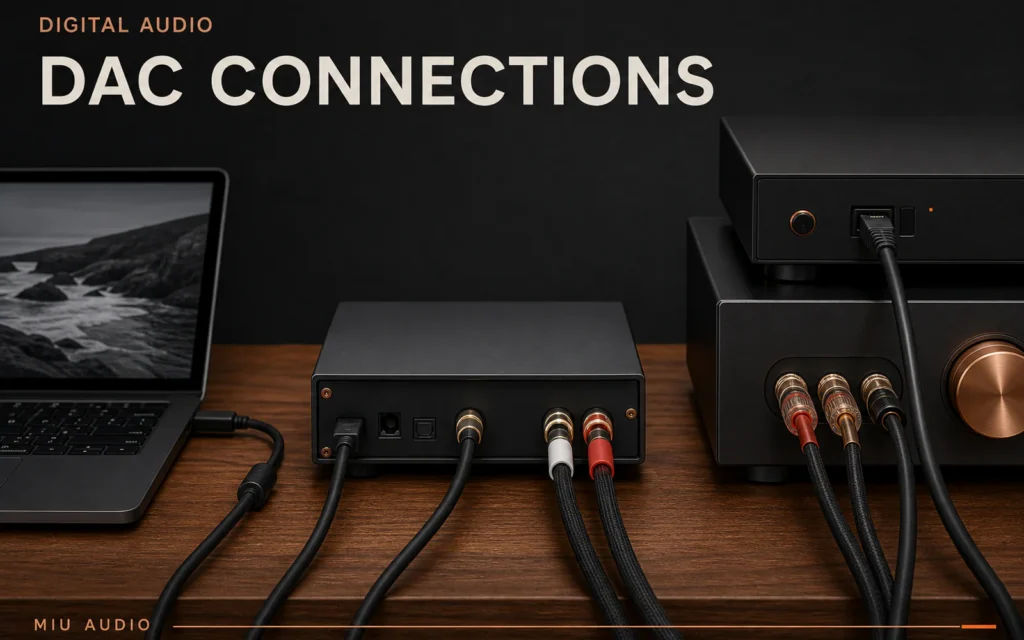
The short answer: use the connection that both source and DAC support reliably at the required format. USB is common for computers and may need drivers or operating-system setup; optical and coaxial carry S/PDIF from compatible sources, with optical providing an electrical break between devices.
There is no universally best connector. The RME ADI-2 DAC manual, for example, supports USB, optical and coaxial inputs but assigns different modes and limits. Cambridge Audio likewise publishes connection-specific sample-rate support. Read the exact products rather than assuming every port behaves the same.
Start with the source output
A computer commonly offers USB audio, while a television or streamer may offer optical or coaxial S/PDIF. Confirm whether the output is PCM stereo or another format the DAC accepts. A connector that physically fits can still carry an unsupported signal.
For television use, set a compatible PCM output when required. For computers, choose the DAC in the operating-system audio settings and install only the manufacturer's current driver where needed.
Understand the practical differences
| Input | Practical strength | Main checks |
|---|---|---|
| USB | Direct computer audio and broad format support | Driver, class compliance, power and mixer settings |
| Optical | Electrical isolation between devices | Cable bends, transmitter and sample-rate limits |
| Coaxial | Electrical S/PDIF with robust connectors | True digital cable, grounding and supported rate |
Compatibility matters more than theoretical bandwidth
One DAC may accept 192 kHz over optical while another limits optical to 96 kHz. USB modes can also differ between operating systems and drivers. Use the lower supported limit across the source, cable and DAC.
Most music does not require the maximum number printed beside a port. Stable playback at the source rate is more useful than forcing a high setting that causes resampling or dropouts.
Use the DAC's lock and rate indicators
Many DACs show the selected input and detected sample rate. No lock, repeated muting or an unexpected rate points to configuration before sound quality. Check one connection at a time with a known file.
If hum appears only with a USB or coaxial connection, do not defeat protective earth. Test optical where supported or follow the manufacturers' grounding and service guidance.
A connection-first setup sequence
- Confirm the source output format and connector.
- Check the DAC manual for accepted PCM, channel and sample-rate formats.
- Use the specified cable type and safe length.
- Select the input and verify lock at low volume.
- Check the operating-system mixer or streamer output settings.
- Change only one setting before retesting.
Practical checklist
- Source and DAC support the same signal format.
- The correct USB driver or class mode is used.
- Optical cable is not sharply bent.
- Coaxial uses a suitable digital cable.
- The DAC locks to the expected sample rate.
- No unsafe grounding change is attempted.
- Playback is stable before comparisons begin.
Troubleshooting guide
| What you notice | Check first | Next step |
|---|---|---|
| DAC shows no lock | Input selection and source output format | Set a supported PCM rate and retest |
| Clicks or dropouts occur | Cable, clock lock and unsupported rate | Return to a known supported setting |
| Computer plays through its own speakers | Operating-system output device | Select the DAC and verify app routing |
| Hum occurs on an electrical input | Ground loop between connected devices | Use manufacturer-safe isolation such as optical where supported |
Continue your Miu Audio research
Once a digital path is stable, keep it unchanged during speaker setup and auditions. Miu Audio's room and system guides then help isolate placement, amplifier and loudspeaker decisions.
- Explore the confirmed Miu Audio LS3/5a
- Browse Audiophile Hi-Fi guides
- Plan a Springvale showroom visit
Frequently asked questions
Is USB better than optical for a DAC?
Not universally. USB may support more formats from a computer, while optical can provide electrical isolation. Choose from the exact source and DAC capabilities.
Does optical support 24-bit/192 kHz?
Some devices do and others do not. The source, transmitter, cable and DAC must all support the rate, so check both manuals.
Can I use a normal RCA cable for coaxial digital audio?
Use the cable type specified by the equipment maker, commonly a 75-ohm digital coaxial cable. A connector match alone does not confirm suitability.
Why does my DAC show the wrong sample rate?
The operating-system mixer or player may be resampling, or the source output may be fixed. Check app, system and DAC settings with a known file.
Sources
- ADI-2 DAC User's Guide, RME, accessed 30 July 2026.
- What are the differences between optical and coaxial cables?, Cambridge Audio, accessed 30 July 2026.
- Sound System Interconnection, Rane, accessed 30 July 2026.
Connection limits and driver requirements vary by model and software version. Follow current manuals, keep protective earth intact and use supported formats rather than forcing a maximum rate.